Enterprise UX · AI · Design Systems · Field Operations
Metropolitan Transportation Authority
Field Apps for Subway Crews: Code-Backed, Design-Led
A platform of ready-built, data-compliant components, introduced through an AI-assisted field inspection app.
My Role
Strategy · Business case · Design system · UX design · AI features · Prototyping in Figma and Figma Make
At a Glance
Small Apps, Clean Data
Two problems. Unregulated PowerApps, and a bloated Hexagon Mobile app crews struggle with.
One platform. Designed and coded components that build Hexagon-ready apps.
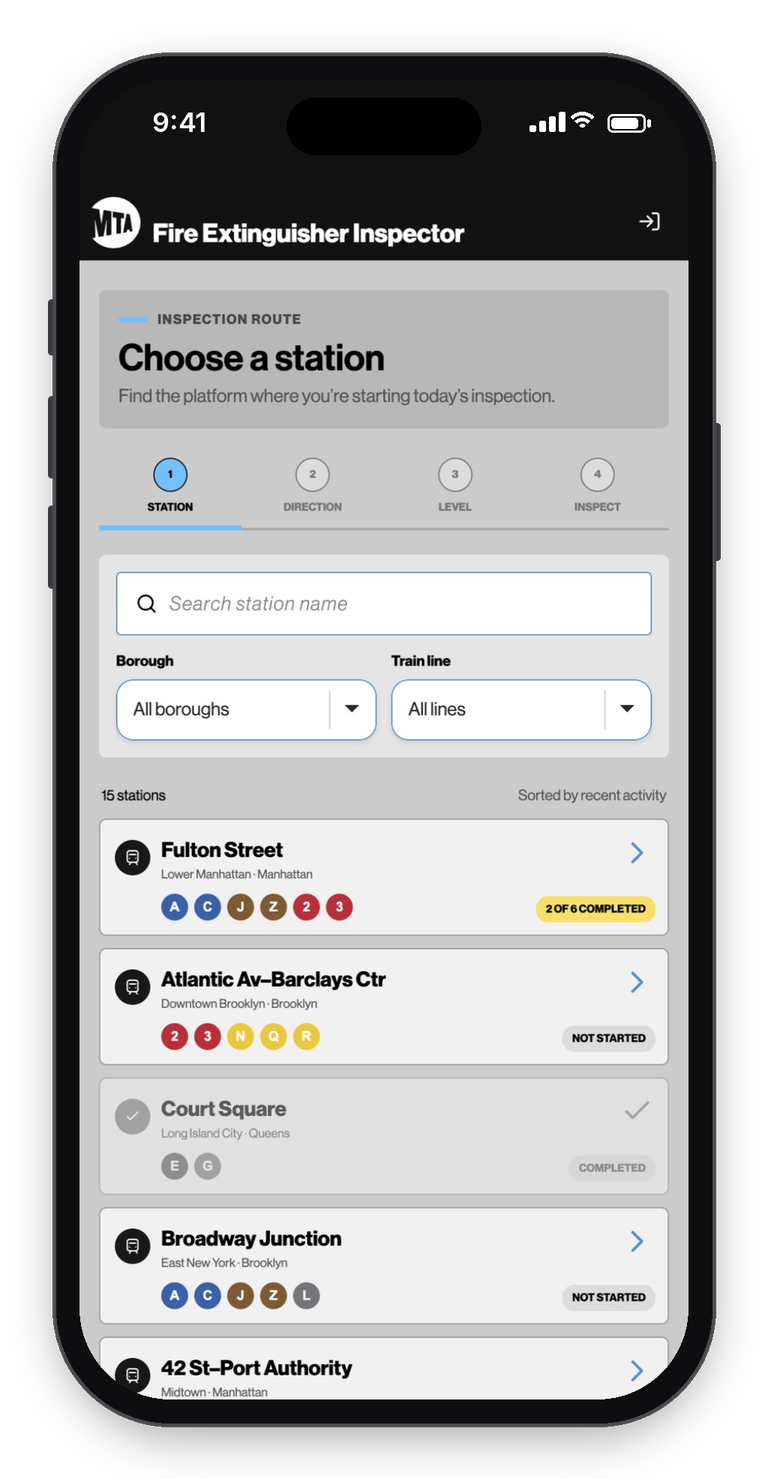
The proof. An AI-assisted fire extinguisher inspection app, approved and in development.
100% in-house. No outside contractors.
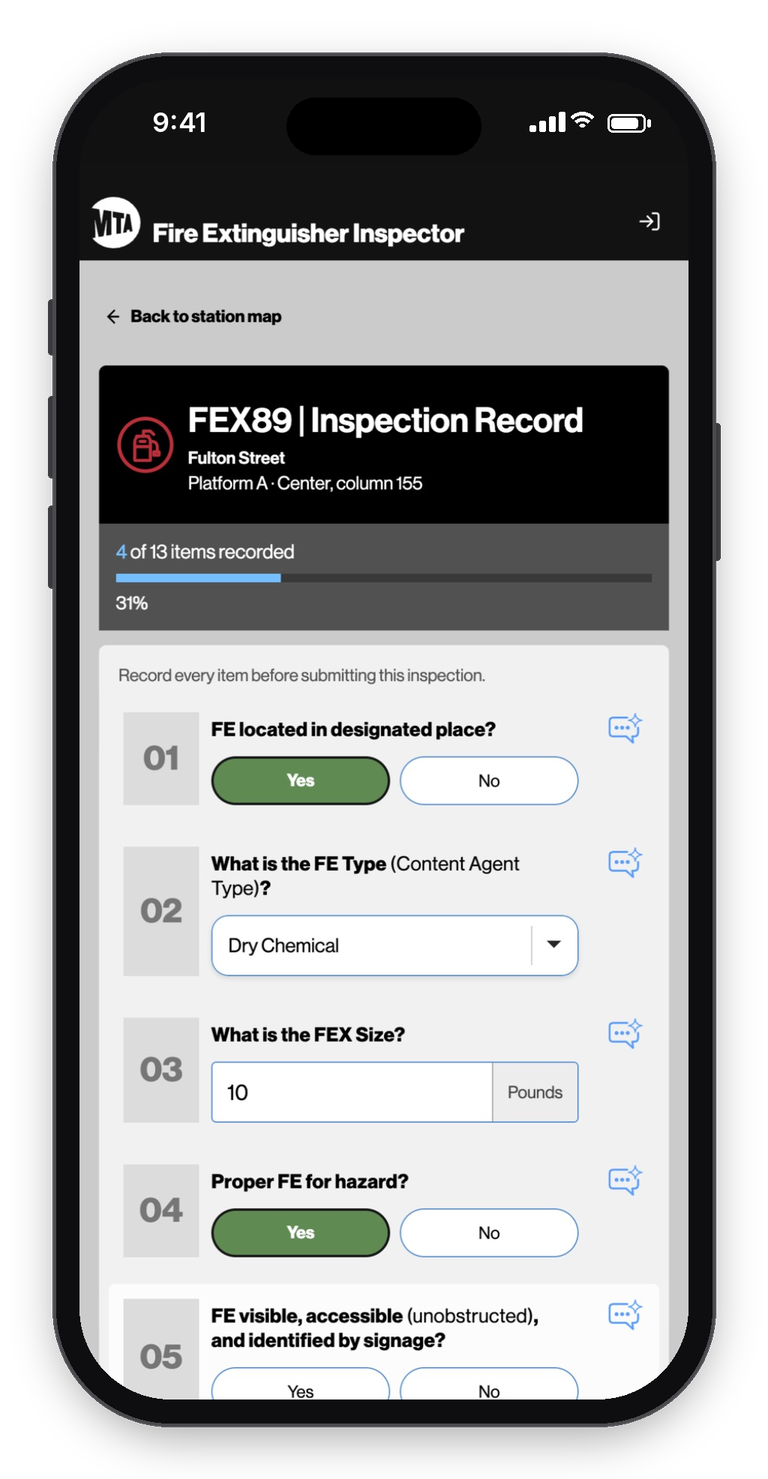
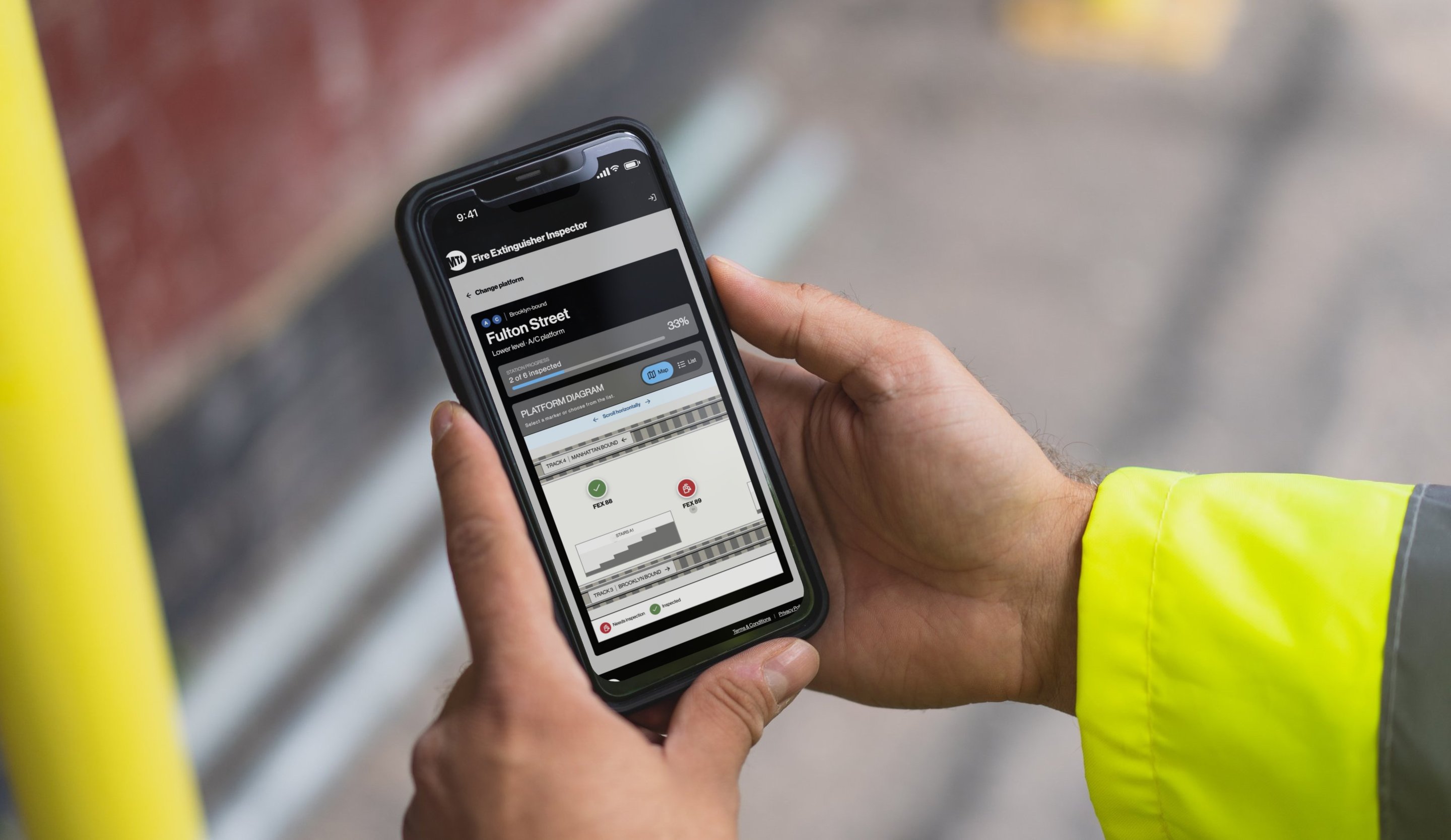
The new inspection app
The Problem
Five Billion Records and Counting
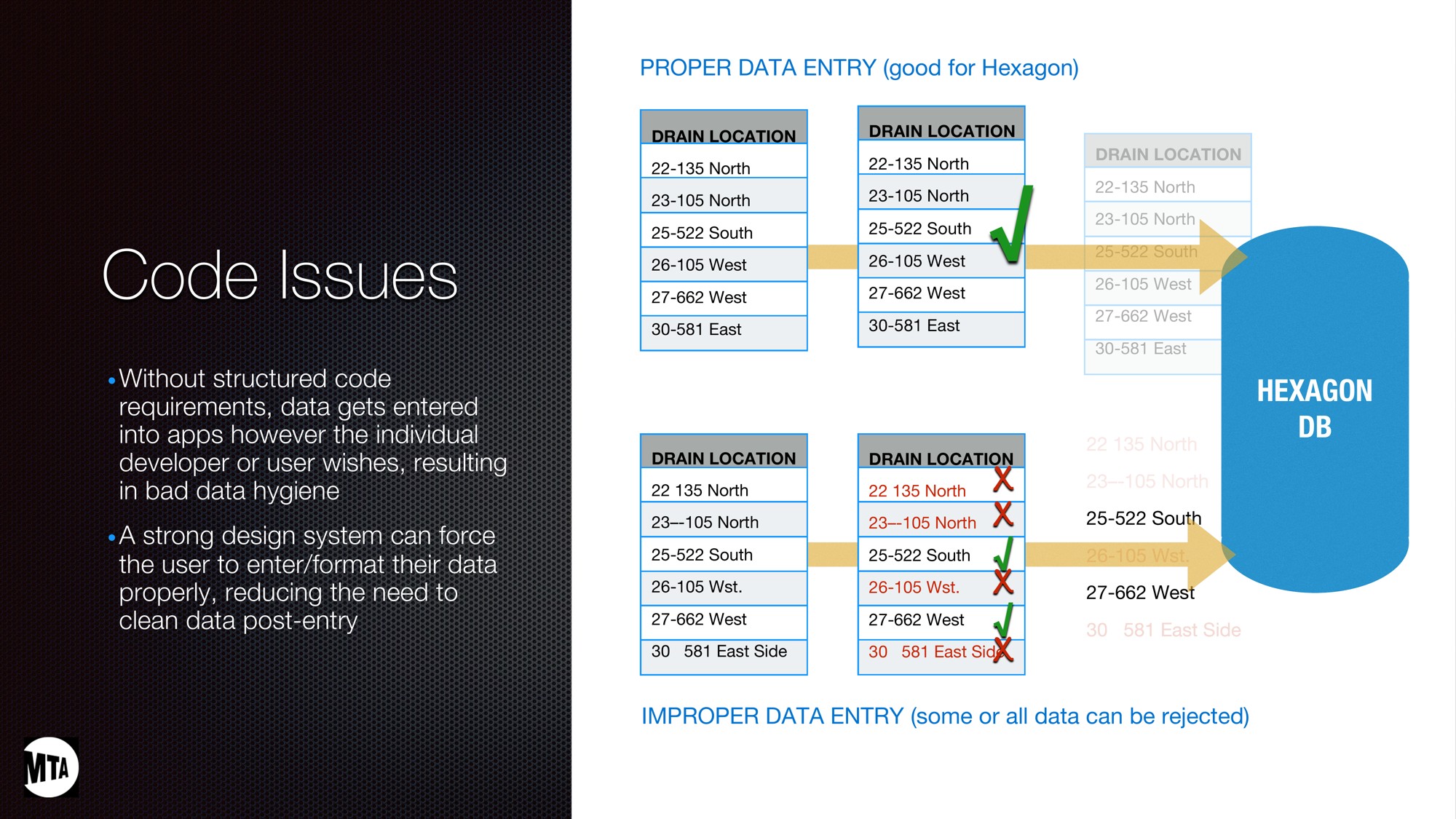
Every physical asset in NYC Transit lives in Hexagon EAM: every train car, wheel, track switch, nut, and bolt. Each one carries a record of its service life, costs, and maintenance history, and those records keep the system running. That adds up to more than five billion entries. Getting data in is the hard part. Hexagon rejects anything not formatted to its strict standards, and every rejection means someone fixing it by hand.
Challenge One
Every Team, Its Own App
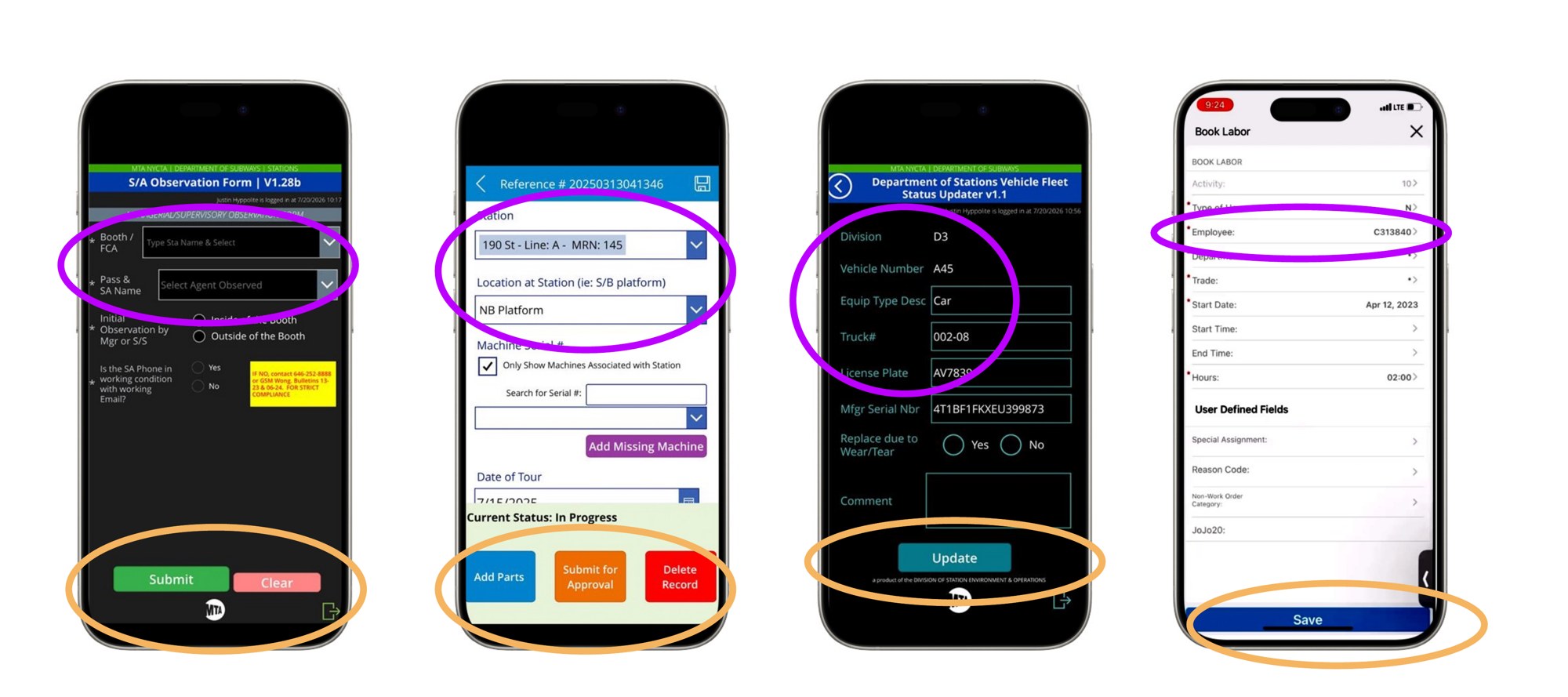
PowerApps made it easy for any team to build a quick operations tool, and plenty did.
No design standards. Four MTA apps, four button styles, four names for the same field.
No data rules. Records reach Hexagon in whatever format the builder chose.
Siloed information. What one team collects rarely leaves that team.
Harder training. Crews relearn the basics with every new tool.
Challenge Two
20 Buttons for a 5-Step Task
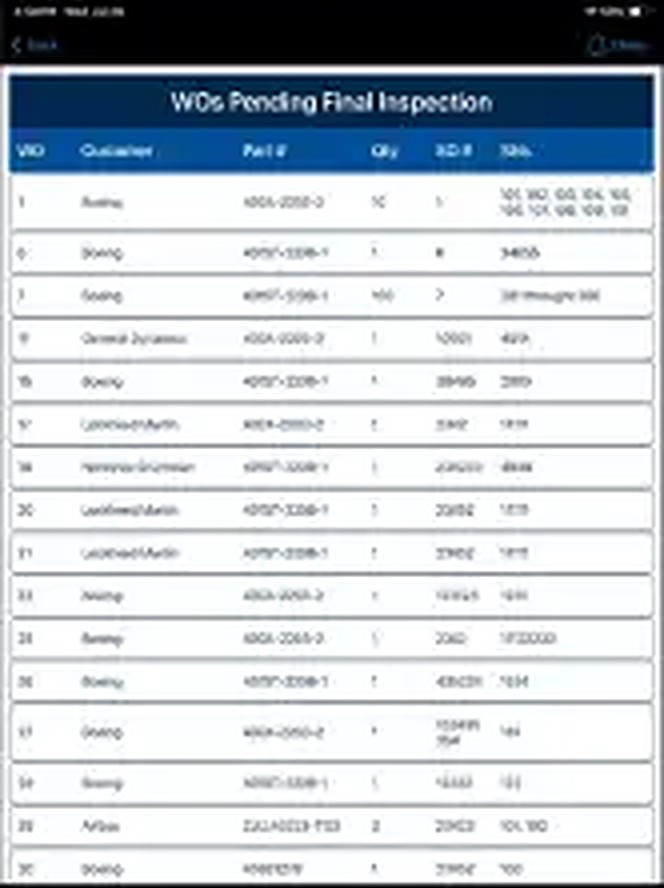
Not every team has the budget or staff to build its own app. Teams without one log inspections in Hexagon Mobile, a bloated enterprise tool built to do everything and good at very little.
Why Hexagon Mobile has to go
Billions of records, one wrong tap. An accidental download can lock up a worker's phone.
Complex, cluttered screens. Dense tables and fields unrelated to the job crowd every form.
Zero control. The MTA can't change a thing about the interface.
Heavy training. Crews need extensive guides just to finish a form.
Unreliable in the field. Slowdowns and freezes interrupt inspections mid-task.
Worker pushback. The people using it every day want something better.
BeforeFour existing team-built PowerApps, each with its own buttons and field names.BeforeHexagon Mobile, the vendor app crews use today: dense, complex screens on a tool that can freeze mid-inspection.
Our Proposal
Selling Design as Data Integrity
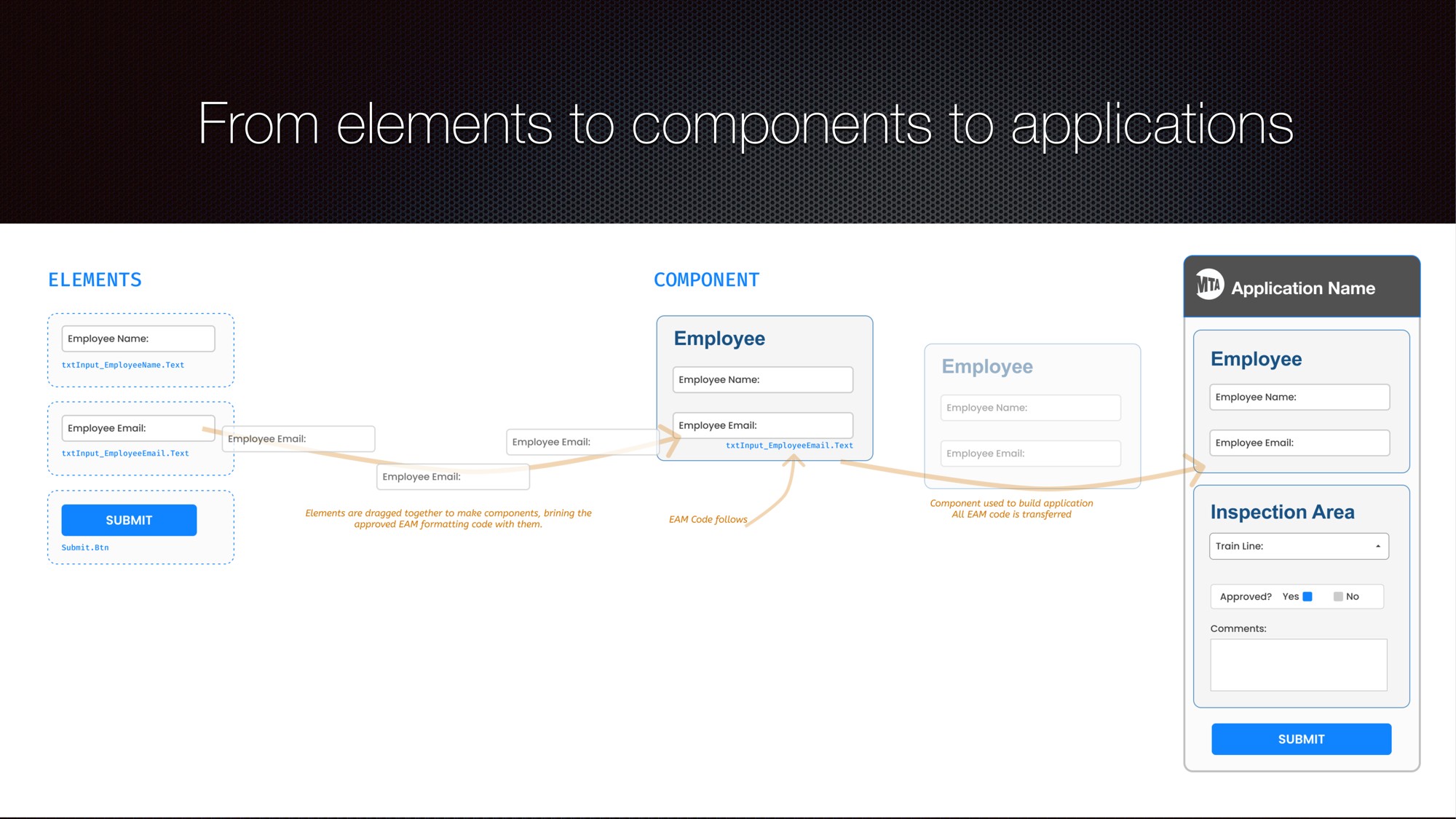
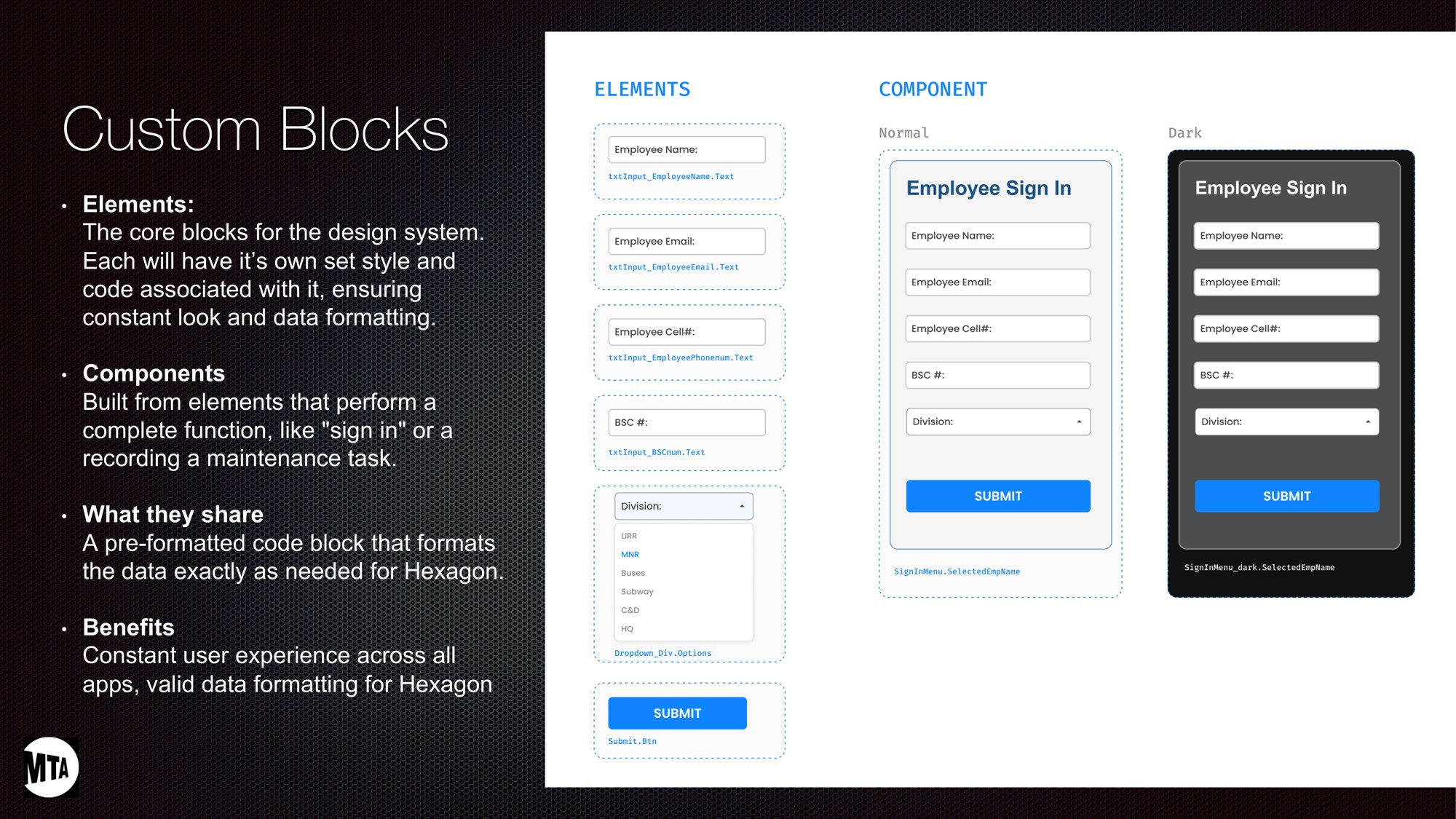
One answer for both problems: a low-code platform of designed and coded components.
Built to Hexagon's rules. Every component formats its data the way Hexagon requires.
Drag and drop. Teams assemble small apps for individual tasks from approved blocks.
Consistent by default. Each app inherits the same usability standards.
Clean on the first try. Records import without manual cleanup.
How the design system got approved
The code system had hard numbers. Measurable savings in time and cost, plus more accurate data.
The design system didn't. Essential, but harder to quantify on its own.
Paired together, both won approval. The code case carried the design system with it.
Sometimes the winning argument sits one level deeper.
The Proof
The Example That Sells the Idea
The fire extinguisher app was chosen on purpose: a real field need, simple enough to build quickly, and a clear picture of what the platform can create. Executives wanted exactly that before approving a budget.
Approved and in development. Headed to a field pilot, with a clear path to production.
Mirrors today's workflow. The same inspection crews complete in Hexagon Mobile now.
100% in-house. Rare at an agency that typically pays contractors for builds like this.
Platform-ready. Future apps like it will be assembled from the shared components.
Designed in Figma, prototyped in Figma Make.
Built-In Intelligence
AI Where Inspectors Need It
Two AI features take the app well beyond a digital form.
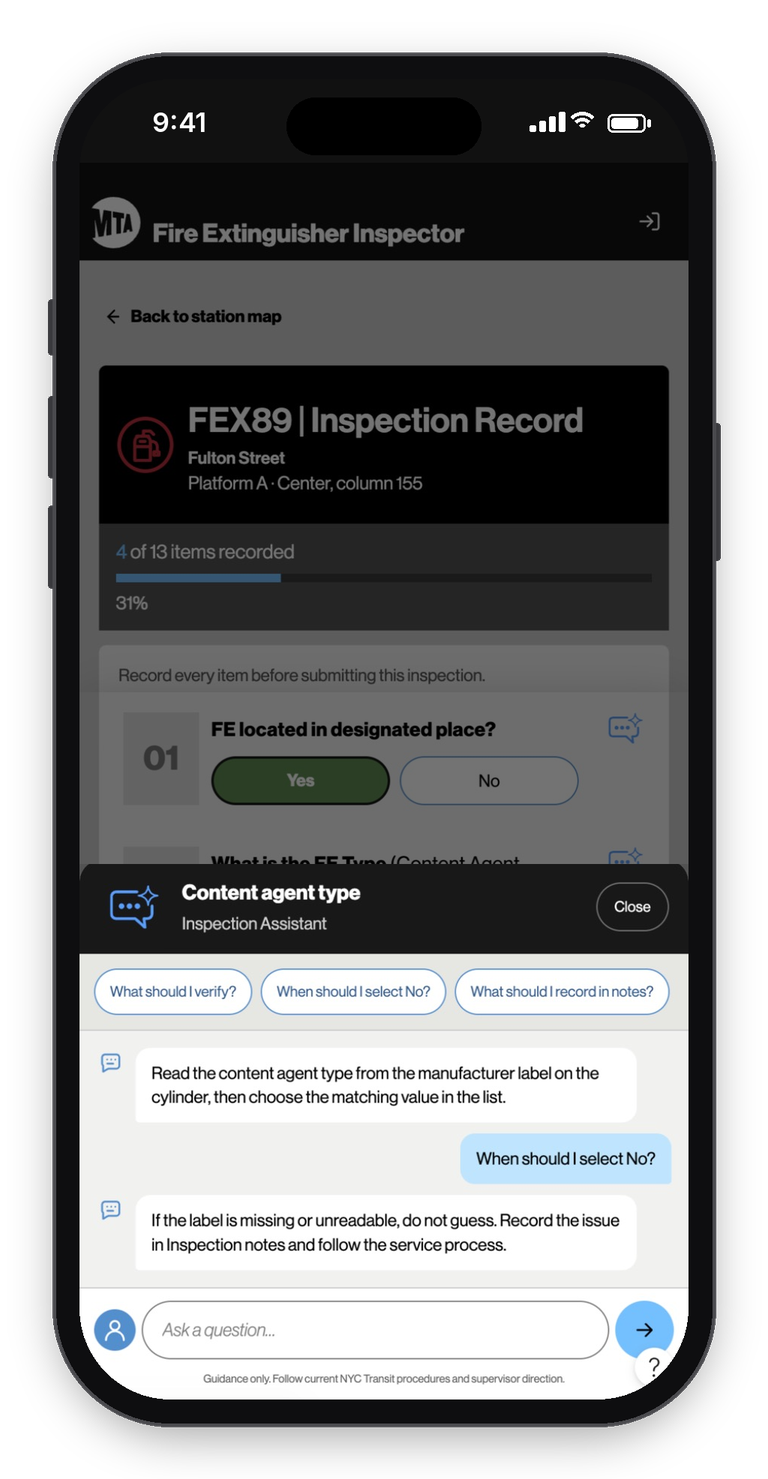
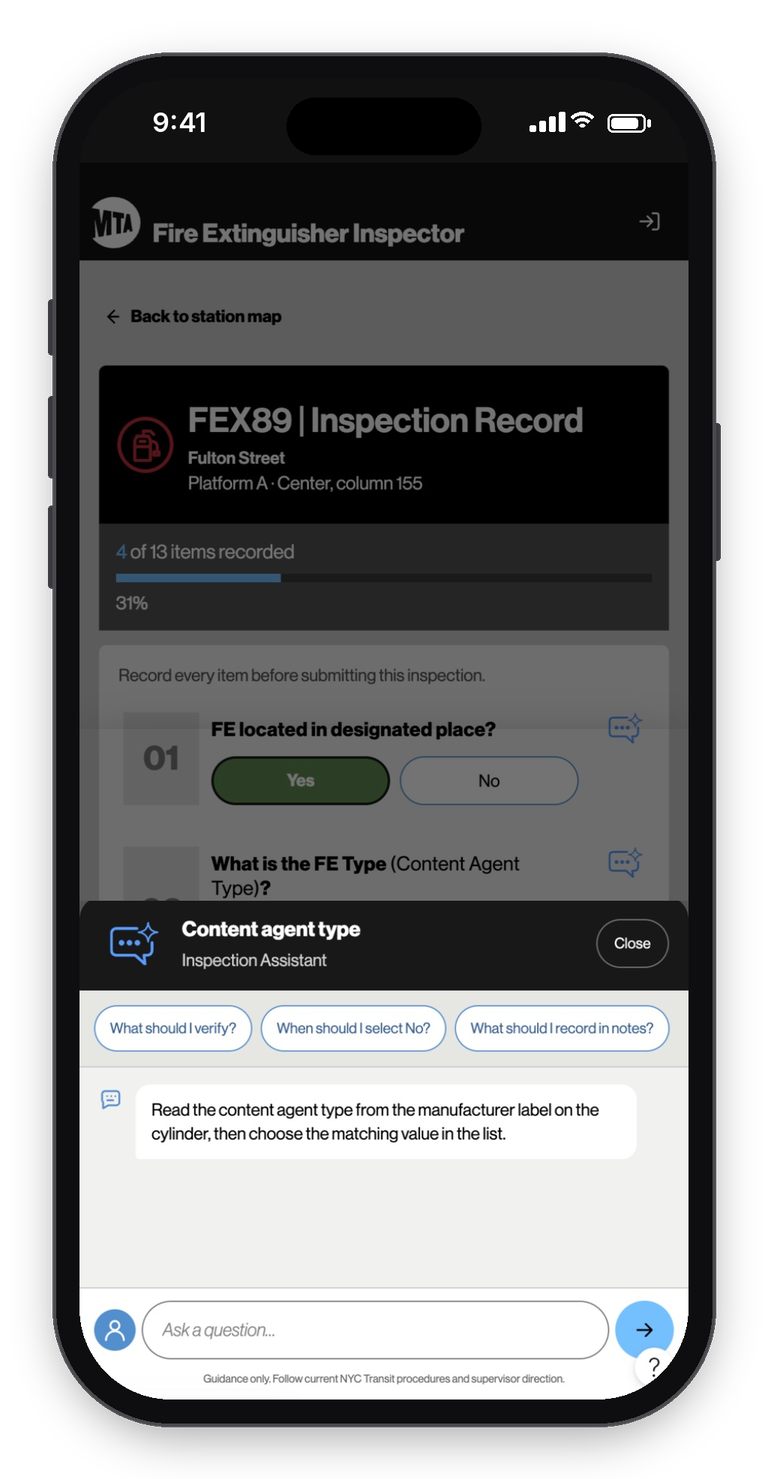
Inspection Assistant
An AI agent on every checklist item.
Answers on the spot. What to verify, when to select No, what belongs in the notes.
Fewer calls, fewer delays. Inspectors get help without phoning a supervisor.
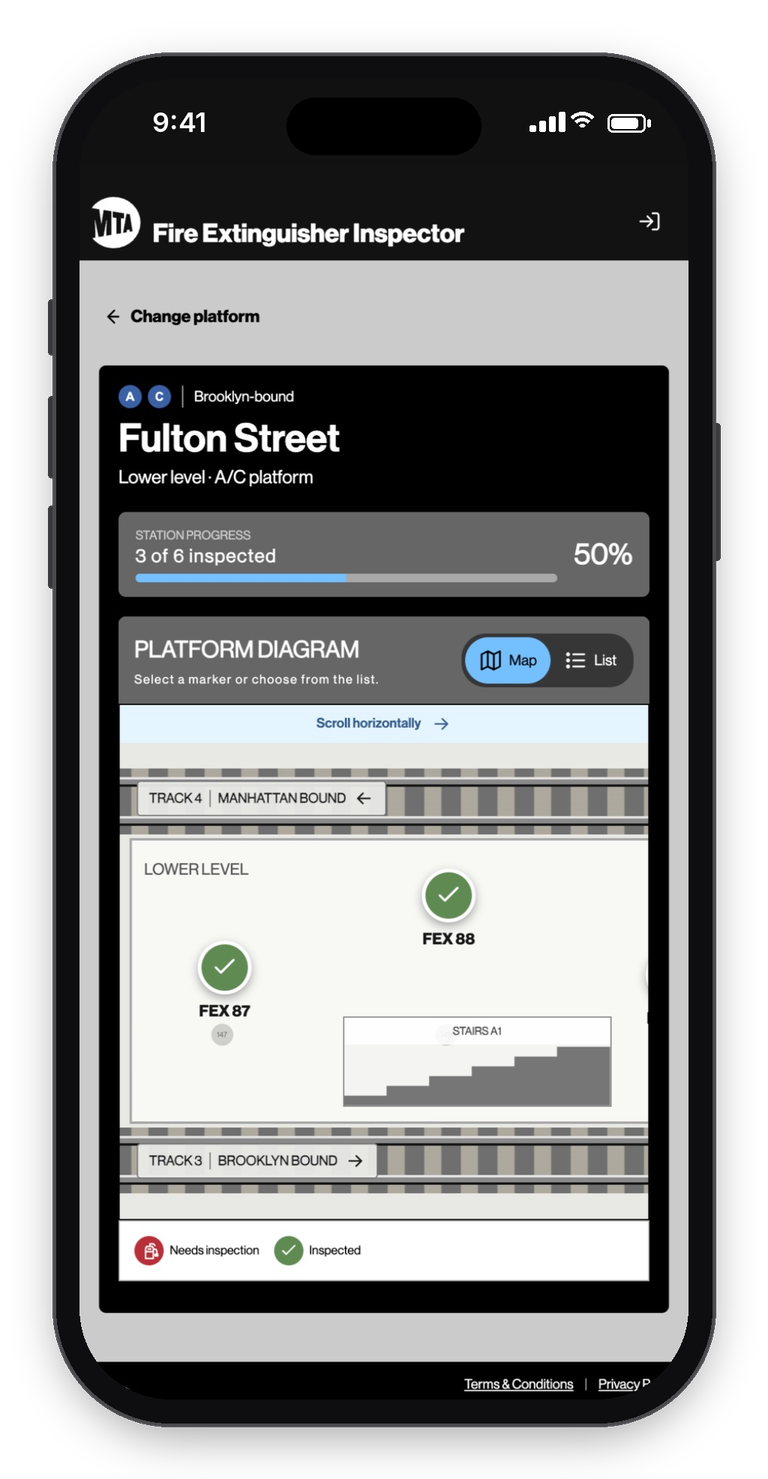
AI-Generated Station Maps
239+ stations of CAD drawings. Dense, technical files made for engineers.
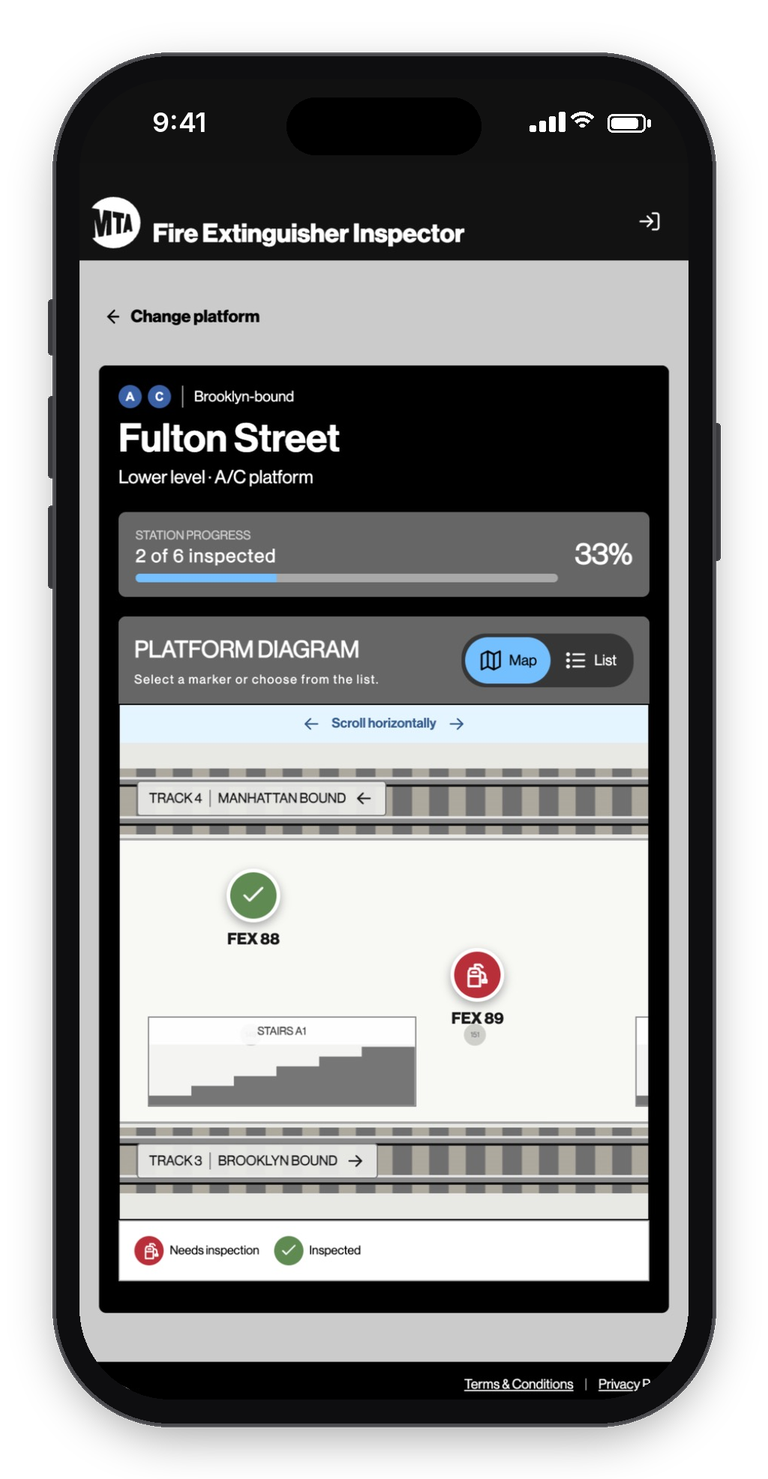
A year of work, done in days. Simplifying them by hand would take a year and a large budget. AI turns them into clean floor plans that show where every extinguisher is.
A first for the MTA. Simple station maps never existed before.
Value beyond this app. Future field tools, other station tasks, and even customer-facing products can build on them.
The Workflow
Six Steps, Start to Finish
Step One
Sign In
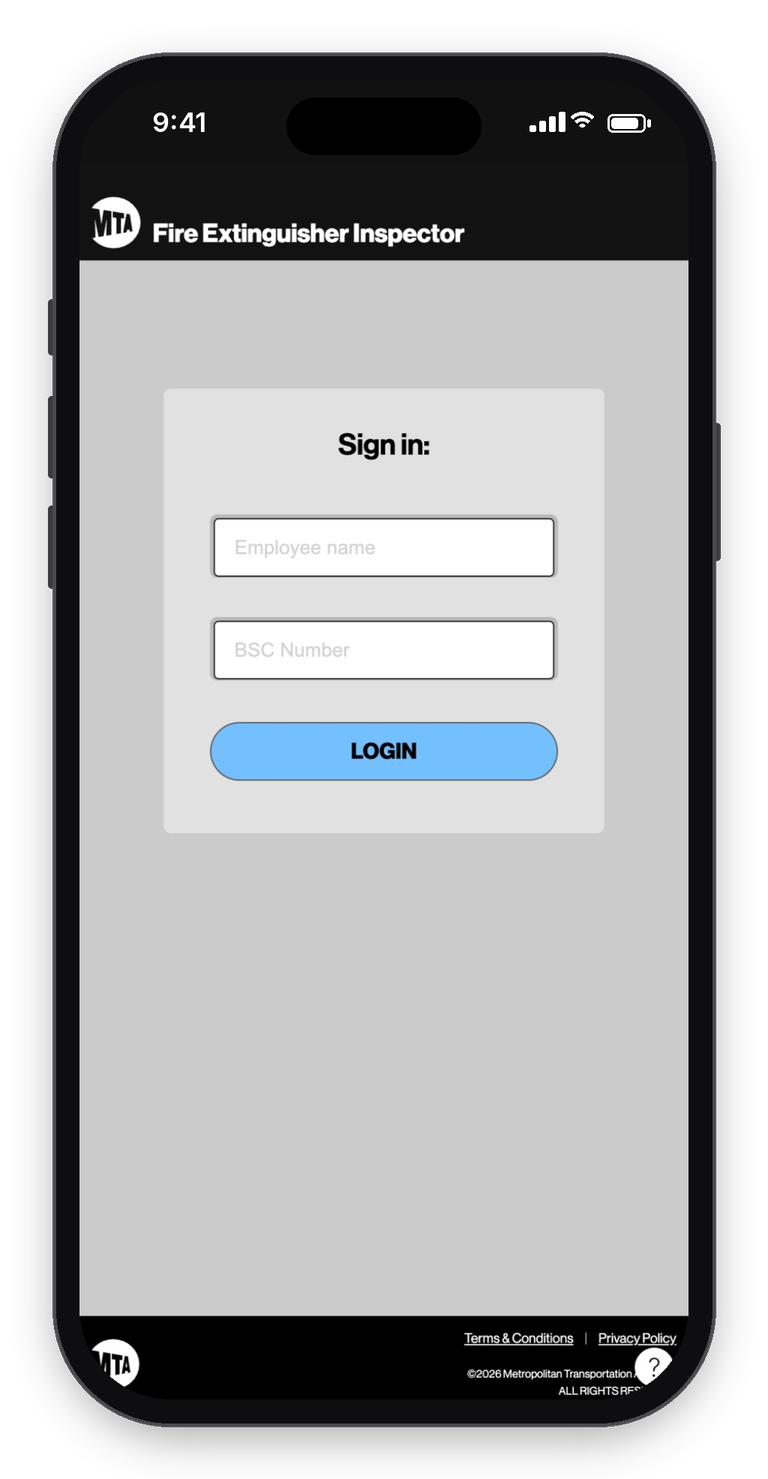
Inspectors sign in with their name and BSC number on MTA-managed iPhones.
Step Two
Find the Platform
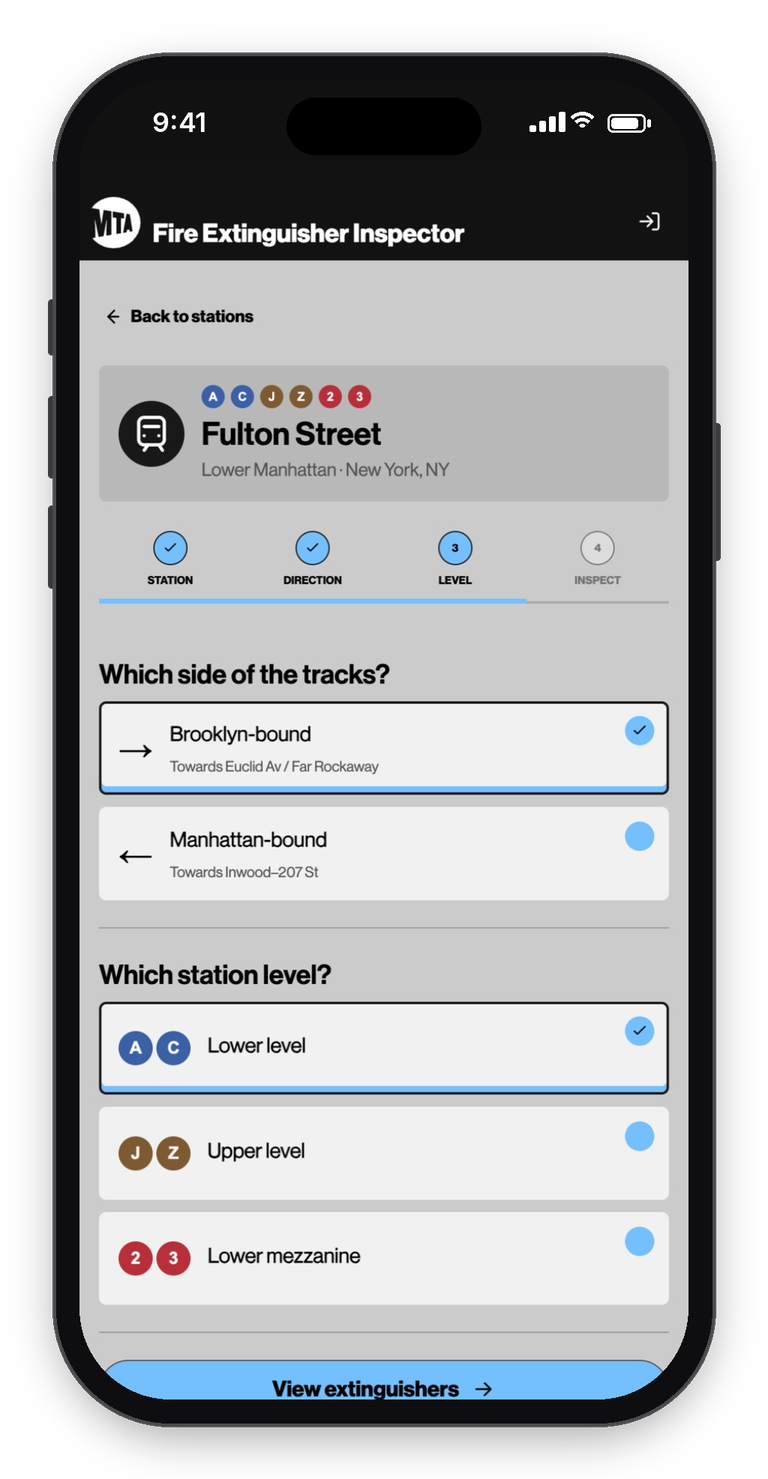
Search or filter to a station, then choose the side of the tracks and the level.
Step Three
Find the Extinguisher
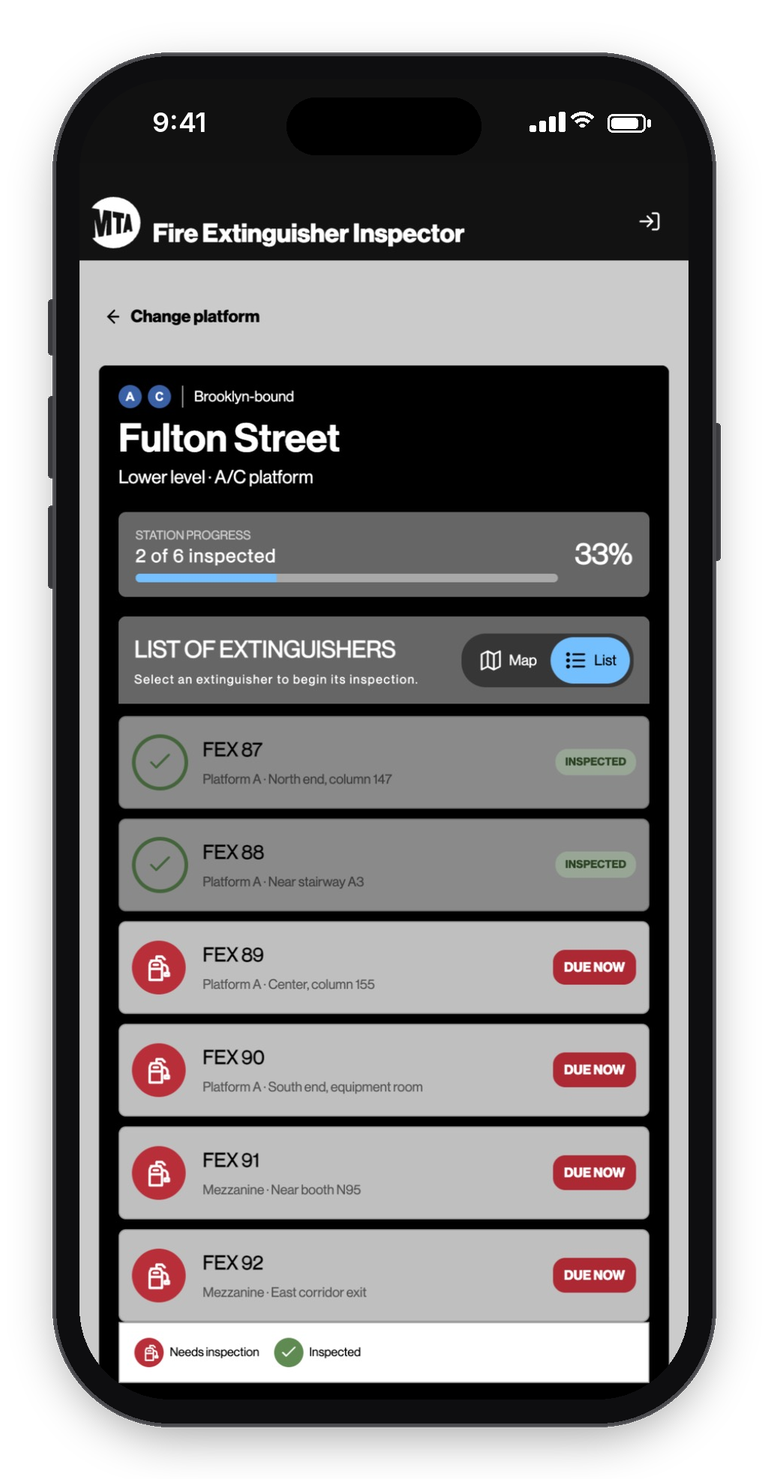
An AI-generated map or a simple list shows every unit, red for due and green for done.
Step Four
Inspect
Thirteen tap-to-answer checks, with Complete locked until every one is recorded.
Step Five
Ask the Assistant
Unsure about a check? The AI agent answers on the spot.
Step Six
Submit
Each record lands in the app's database and goes to Hexagon that night, ready to import.
The Impact
What It's Built to Deliver
Major cost savings. Built entirely in-house, in place of outside contracts that can run toward $100M.
Help in the field. An AI assistant cuts calls and delays.
Clean data. Hexagon records import correctly the first time.
Less manual work. Fewer staff hours lost to entry and cleanup.
Faster inspections. A workflow shaped around the task.
Reusable station maps. AI-generated layouts for 239+ stations, ready for future apps.
Five inputs instead of twenty, an AI assistant instead of a phone call, and a design system the MTA said yes to.